
Everything Brainrot does, in one place.
A short-video limiter, a screen time controller, and a few small tools that make both easier to stick to. This is what each part does.
Per-video counting for four feeds.
Brainrot has a dedicated detector for each feed, so it can tell a Reel from a regular post and a Short from a long video.
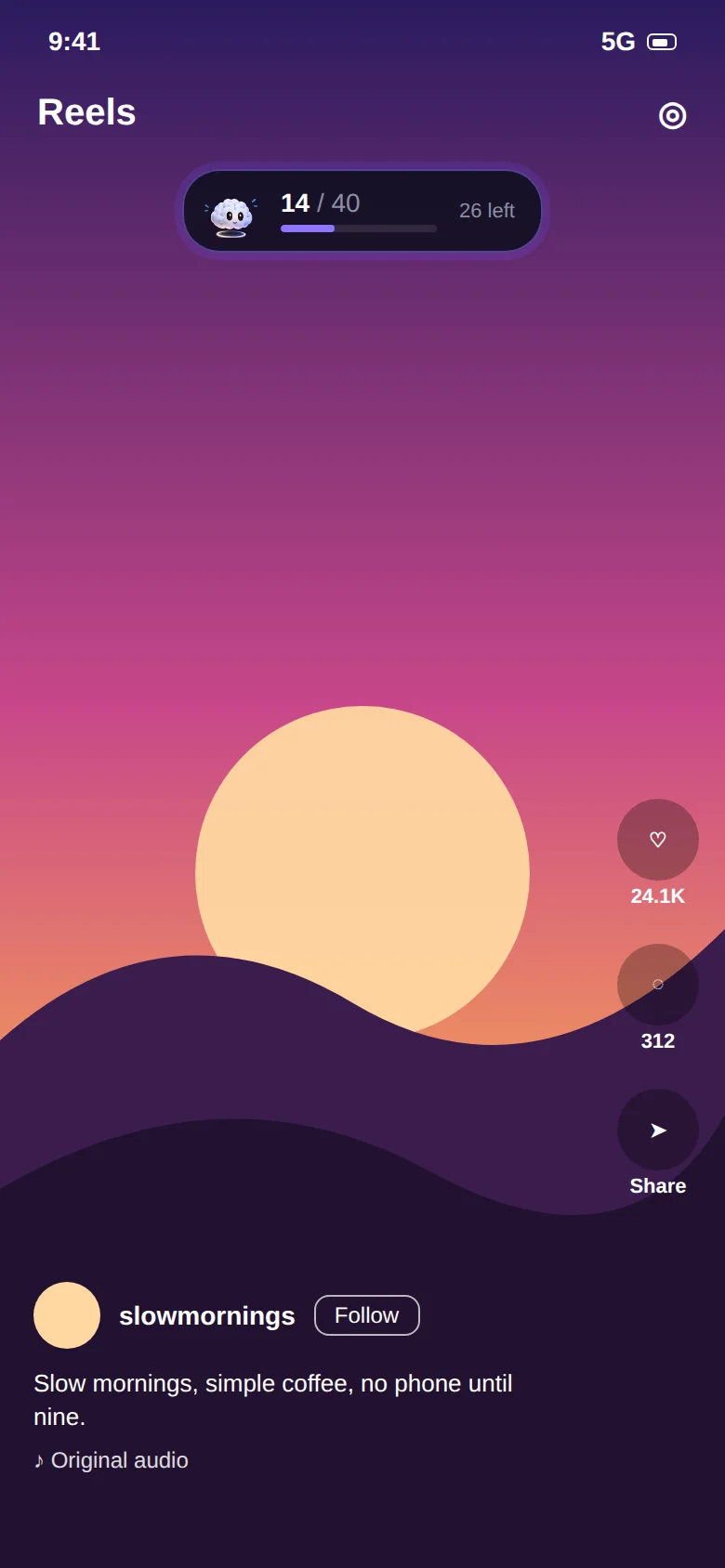
- Instagram Reels: counts swipes in the Reels viewer. DMs, Stories and the regular feed stay open.
- YouTube Shorts: counts Shorts only. Lectures, podcasts and music play without a counter.
- Facebook Reels: stops the autoplay chain of vertical videos.
- Snapchat Spotlight: caps the endless Spotlight feed while chats and Snaps stay available.
One shared budget, or one per app.
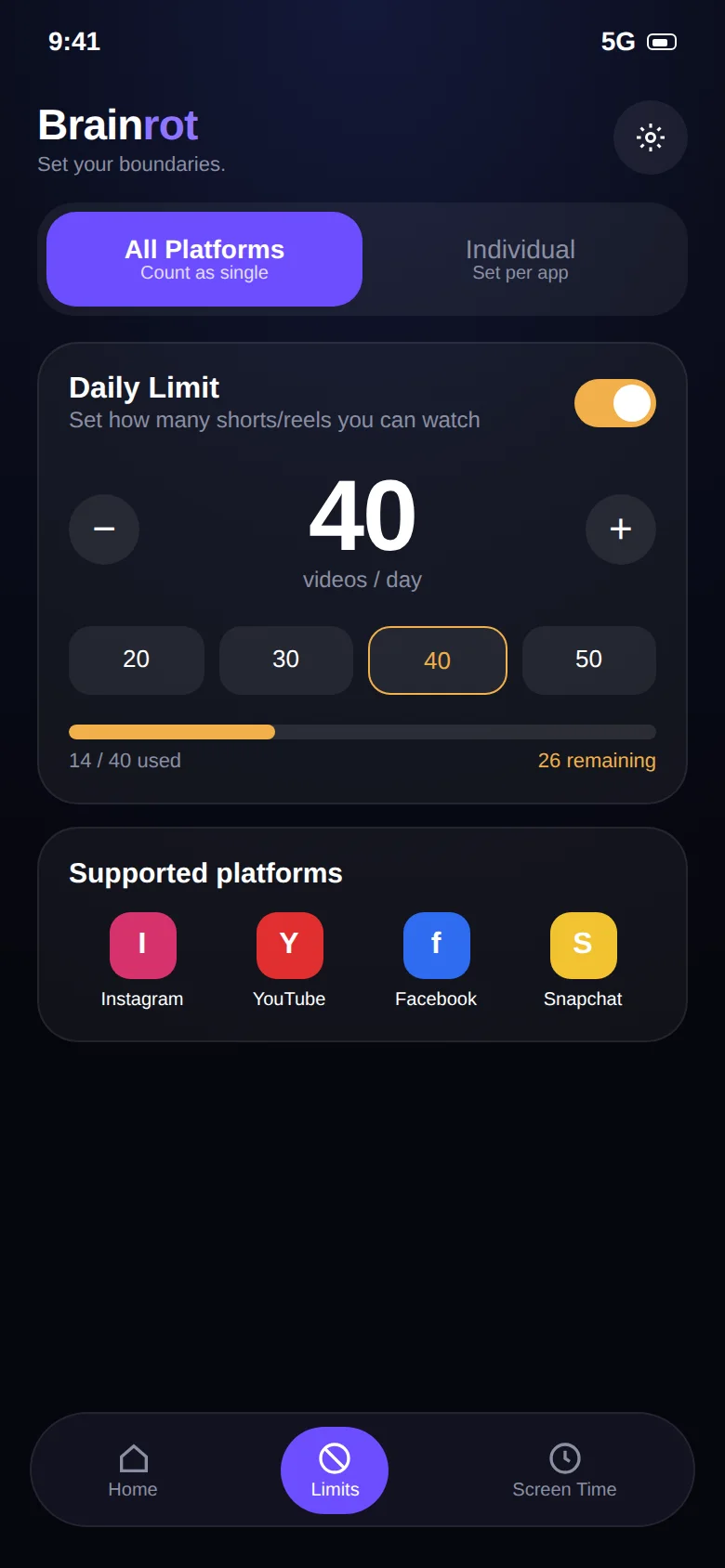
Unified gives you a single daily pool. Watch 20 on Instagram and 30 on YouTube and a 50-video limit is used up. It's the mode that stops you from swapping one feed for another.
Individual lets you set separate numbers, say 20 on Instagram, 10 on YouTube and 0 on Snapchat, for when each app plays a different role in your life.
Timed sessions with no way out.
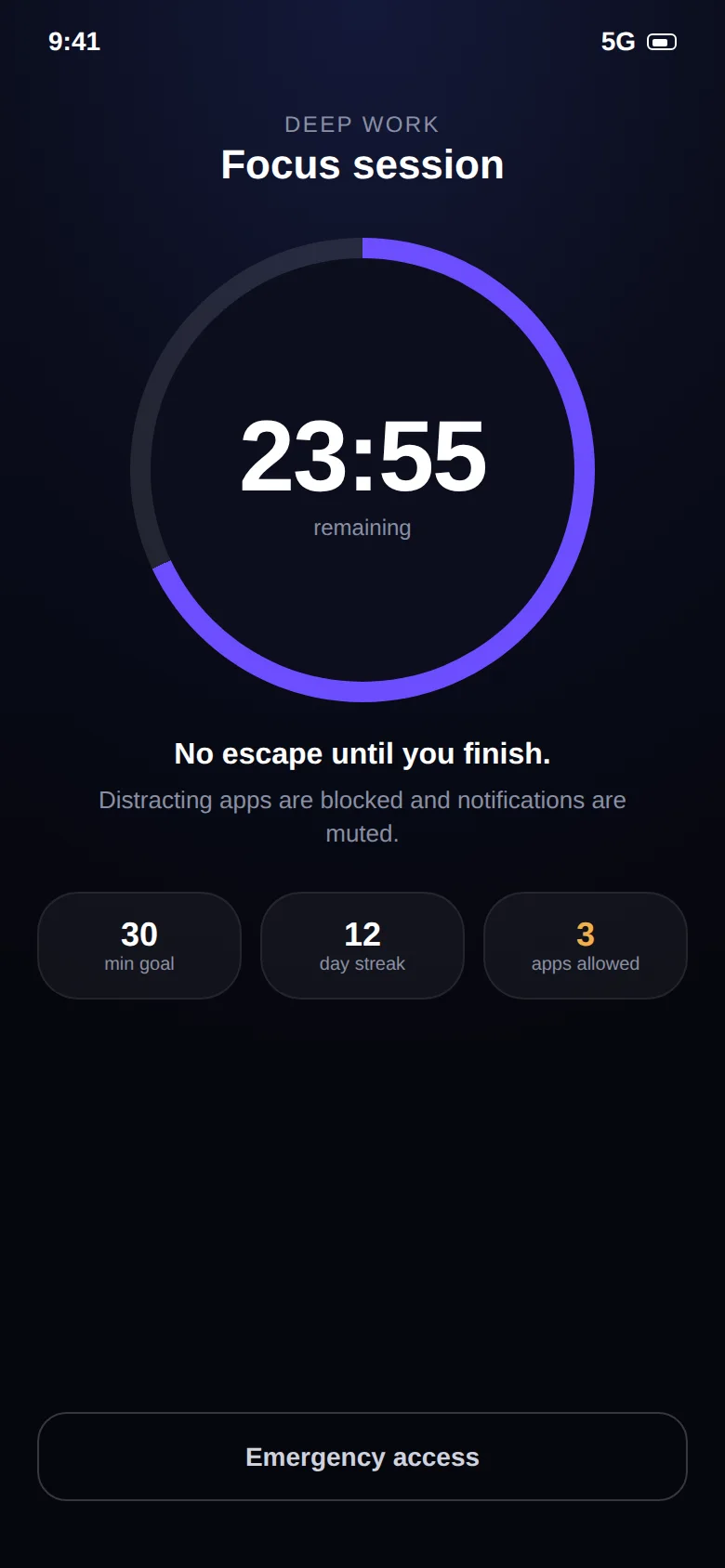
Start a focus timer with quick presets or schedule recurring sessions. While a session runs, distracting apps are blocked and notifications are muted. Only the essential apps you chose, such as Phone and Messages, stay available.
- Focus timer from 15 minutes upward
- Recurring schedules by day and time
- Essential-apps allow list
- Emergency access if something real comes up
See whether it's working.
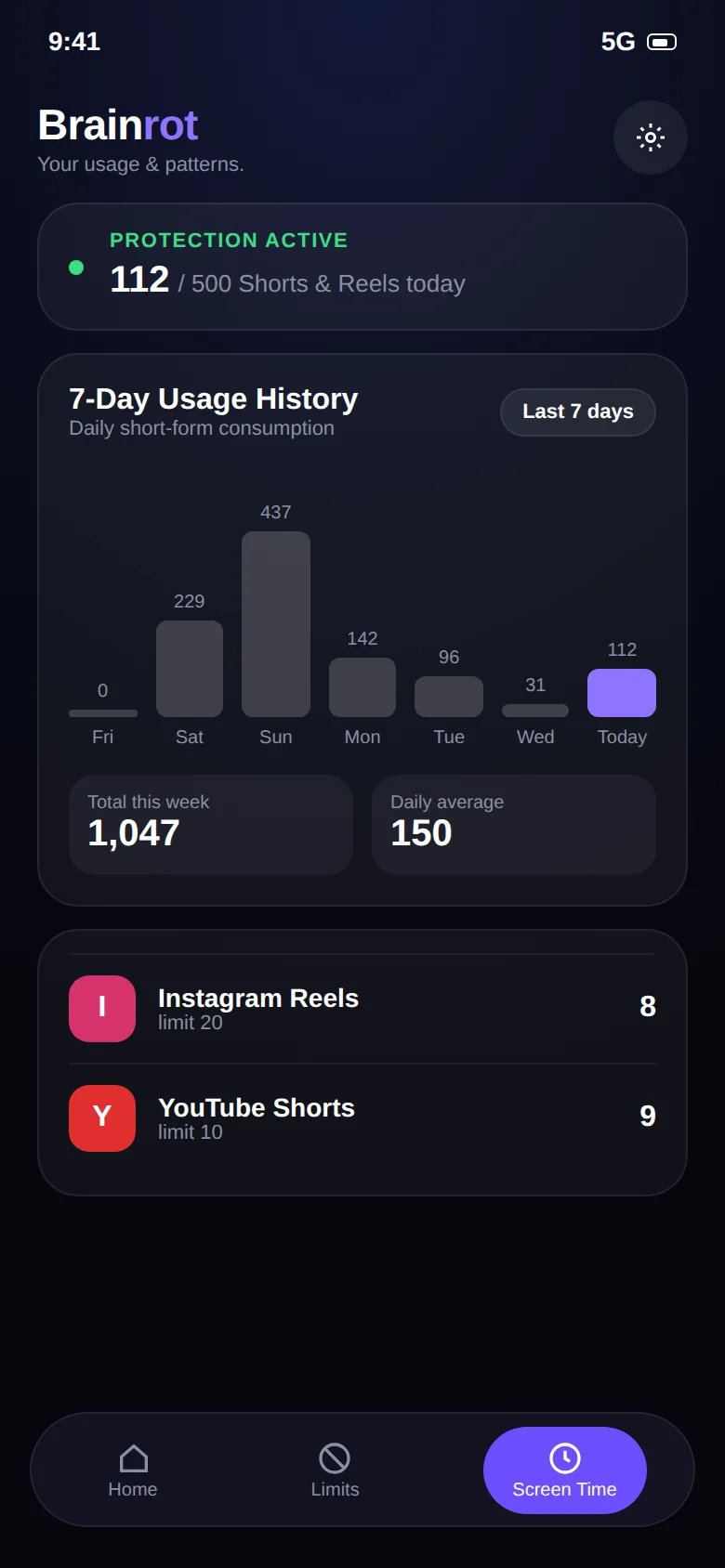
A 7-day usage history, weekly total and daily average for your short-video watching, plus focus time, completed sessions and a streak for your focus sessions. Everything is computed on your phone.
The small things.
None of these is the headline, but together they are why the app stays out of your way.
Floating counter
Appears only inside a short-video feed and disappears when you leave it.
Any-app time limits
Set a daily time limit on any installed app: games, news, shopping, anything.
11-stage brain mascot
From fresh at 0 to completely fried at 1000+. A number you can read at a glance.
Hard stop screen
When you hit the limit the feed closes. There is no snooze button to bargain with.
Essentials stay open
Calls, messages, maps and the apps you choose are never blocked.
No account, no ads
Install and go. Data stays on the device and is deleted when you uninstall.
Eleven stages of brain.
The mascot steps forward at each milestone of your daily count. Try the interactive version →
| Daily videos | Stage | Feeling |
|---|---|---|
| 0 | Fresh | Sharp and ready to focus |
| 50 | Still fine | A little tired |
| 100 | Getting tired | Losing alertness |
| 250 | Losing focus | Mind drifting |
| 400 | Mentally drained | Attention depleted |
| 500 | Focus fading | Overstimulated |
| 600 | Seriously affected | Scrolling fatigue |
| 700 | Brain overloaded | Cognitive overload |
| 800 | Almost broken | Excessive scroll |
| 900 | System failing | Severe overload |
| 1000+ | Completely fried | Limit destroyed |
Take your scroll back.
Free on Google Play. Set a limit in two minutes and keep every app you actually need.